Your referral link: how it works, with screenshots
Customers you bring see you first for 90 days, and those requests cost you nothing. Here is the whole path, step by step, on real screens.
- Free to join, no contracts
- Customers pick you by name
- You set your lead limits
Step 1: your link lives in your portal
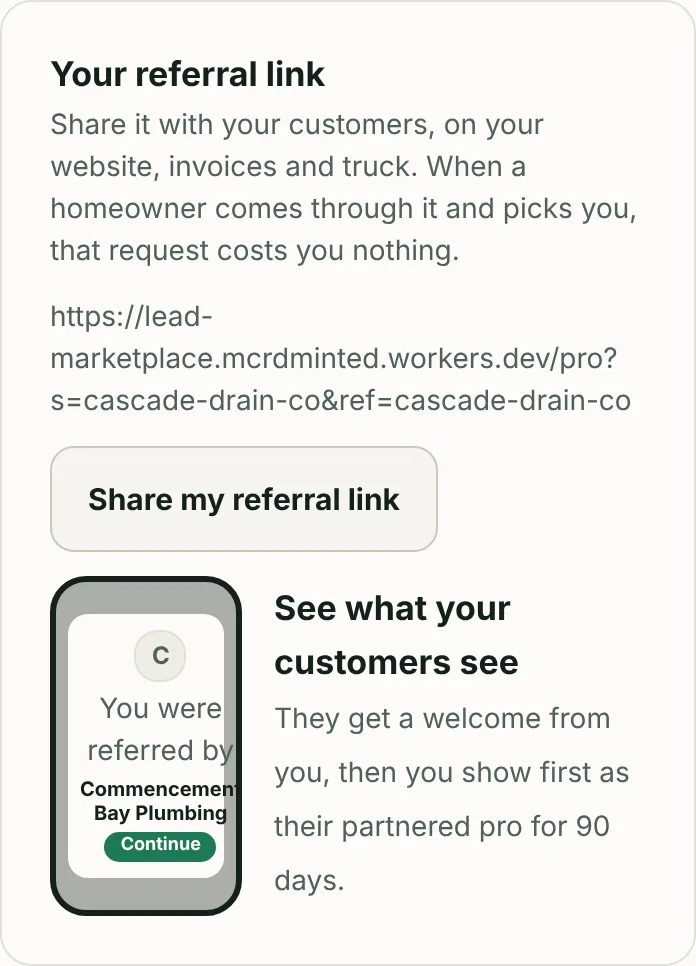
Open My business, then Profile. Your referral link is right under your public profile. Tap "Share my referral link" to text or email it, or copy it onto your invoice, your website, your Google Business Profile and the side of your truck. It never changes.
Step 2: the customer taps it
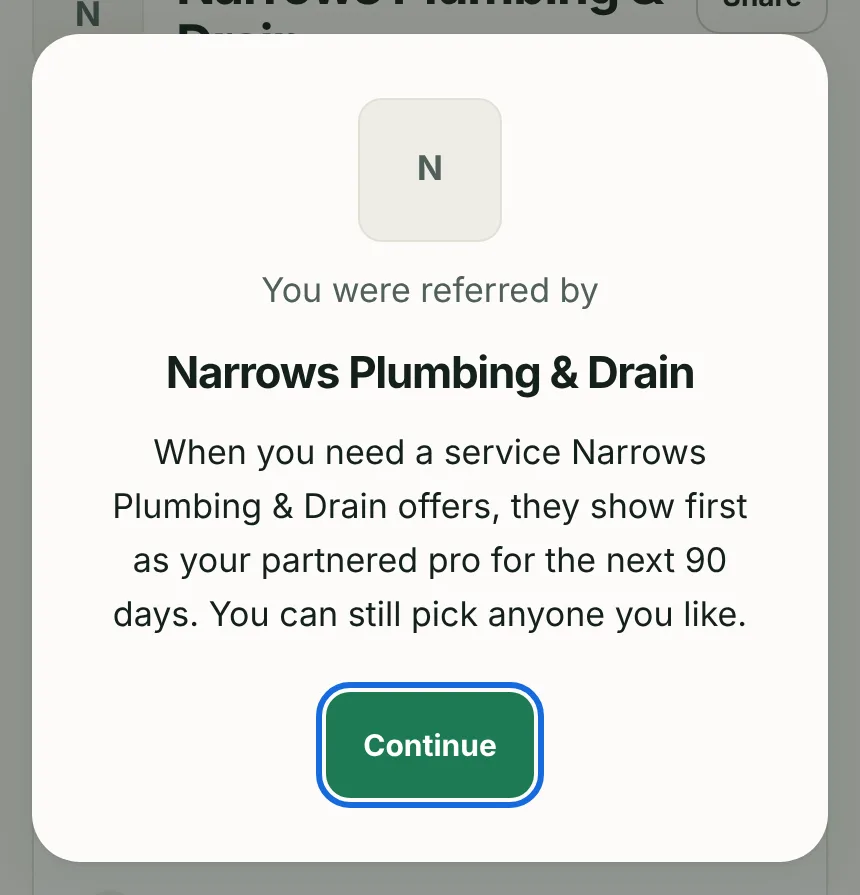
The first thing they see is a welcome card with your name and logo: "You were referred by". It tells them plainly that you show first as their partnered pro for 90 days and that they can still pick anyone. From that moment, your referral is saved in their browser. No account needed yet.
Step 3: weeks later, they search for a plumber
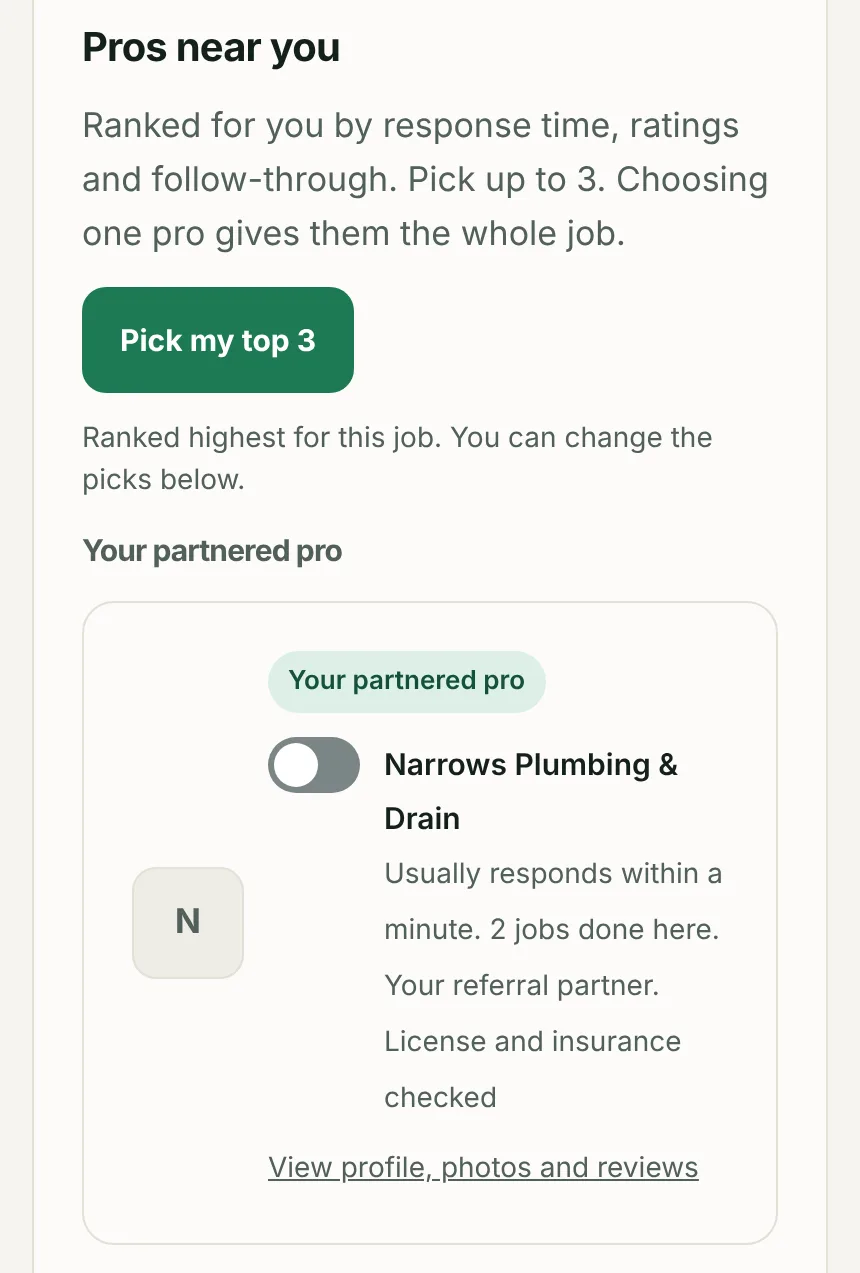
Say your customer comes back on their own, types in "drain cleaning" and their ZIP, and compares pros. You are pinned at the top under "Your partnered pro", above every other pro in their ZIP, with "Your referral partner" on your card. The screenshot below is a real test: the customer opened a referral link, closed the site, came back later through the normal search, and the referring pro is on top.
Step 4: they pick you, and the lead is free
The rules
- If they pick you, the request reaches you at no charge. It is your customer.
- If they also pick two other pros, those pros pay for the lead. You still do not.
- If they pick someone else, you pay nothing and nothing changes.
- The pin lasts 90 days from the last time they opened your link. Every time they tap it again, the clock restarts.
Why it matters
Every customer you already have is a customer somebody else is paying to reach. Your link keeps them yours, in the same place they would otherwise go to compare you against strangers. It also raises their standing with us: a customer a pro vouched for is shown your tier of pros first and the big-ticket jobs they send go to pros like you.
Where to put it
Five places
- Bottom of every invoice and estimate.
- Email and text signatures.
- Your Google Business Profile, under Website or in a post.
- A card you leave after the job: "Need anything else? Start here."
- Your truck, as a short link or QR code.
Check your own link
Open your link with "&preview=1" on the end to see the welcome as your customer would, without saving a referral to your own phone.
Questions
Does the customer need an account?
Not to be referred. The referral is saved in their browser the moment they open your link. They sign in only when they send a request.
What if they clear their browser or use a different phone?
The referral lives in that browser, so a new phone starts fresh. Give them the link again; it costs nothing and restarts the 90 days.
Can I refer a customer for a service I do not offer?
They still see the welcome, but you are pinned only for the services you offer in their ZIP. For anything else they see the normal list.
About this guide
This national guide is written and checked by infinibell. Rules and conditions differ by place, so local pros are credited on guides for the cities they serve, not on national ones.
Edit history
- Oct 29, 2026: Drafted by infinibell to our content guidelines.
More pro guides
About this guide
Ready to get customers who picked you?
Free account in a minute. Pick your trade, then your exact services and ZIP codes.
Sign up free